Portfolio

Proof of Work

A working record of what I've built, published, and automated using AI—spanning websites, content, generative media, and workflow automation.

Section 01

Websites & App Builds

Websites and lightweight applications built to solve a specific business or operational need, from first prototype through to a working interface.

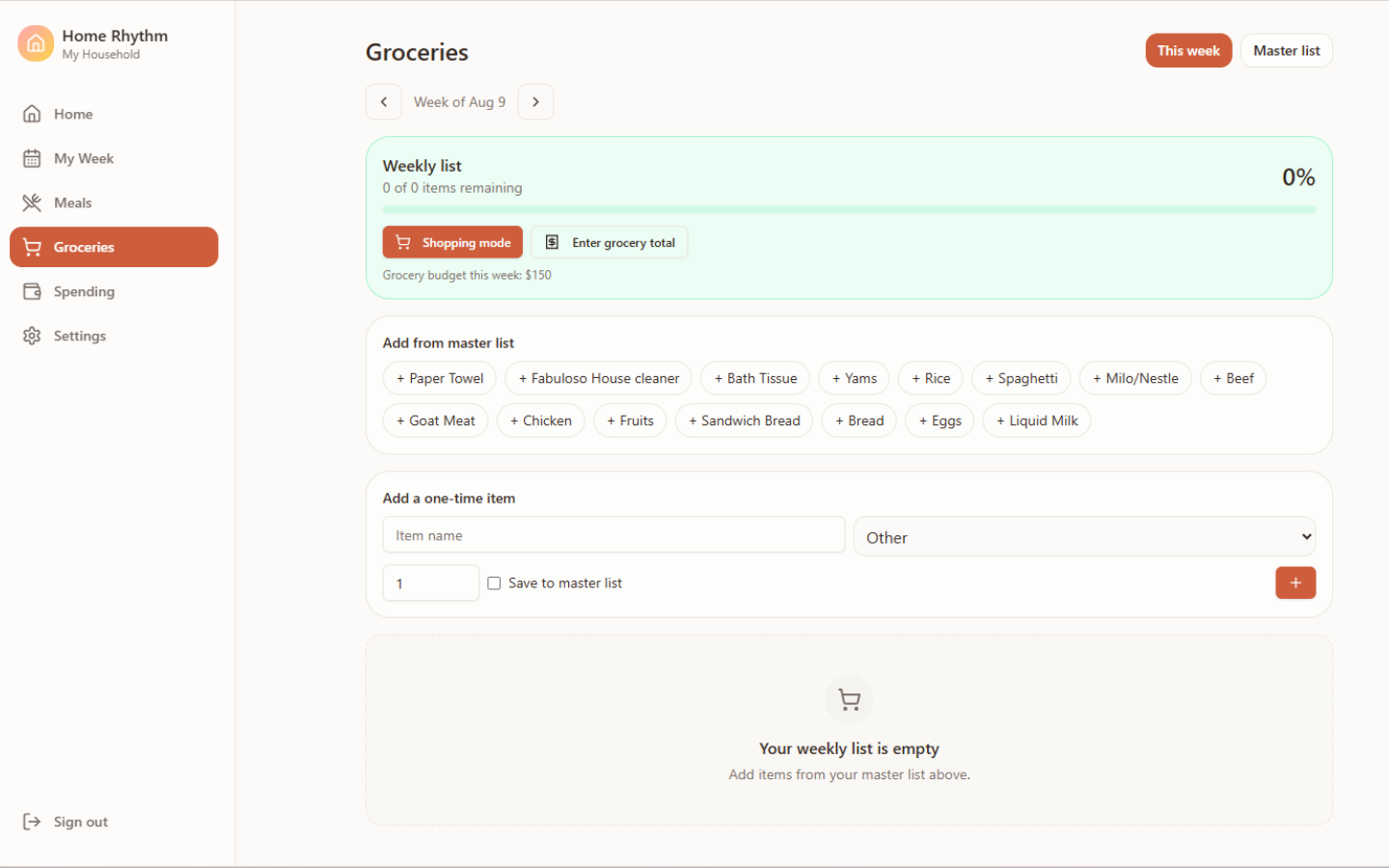
Home Rhythm family planning web application grocery dashboard
Personal Build

Home Rhythm

Problem or objective
Create one place to manage family routines, priorities, meals, grocery planning and household spending without relying on scattered notes and reminders.
What Connie built
A responsive family-planning app prototype with daily routines, top priorities, weekly planning, reusable meals, grocery organization, planned-versus-actual spending and child profiles.
Tools used
Base44 and ChatGPT
Connie's contribution
Conceived the product, defined the requirements and user flows, structured the MVP, prompted the build and tested the experience through multiple iterations.
Final output
A working private web-app prototype designed for use on mobile and desktop.
What was learned or demonstrated
Demonstrated how an everyday personal challenge can be translated into clear product requirements, practical workflows and a focused MVP.
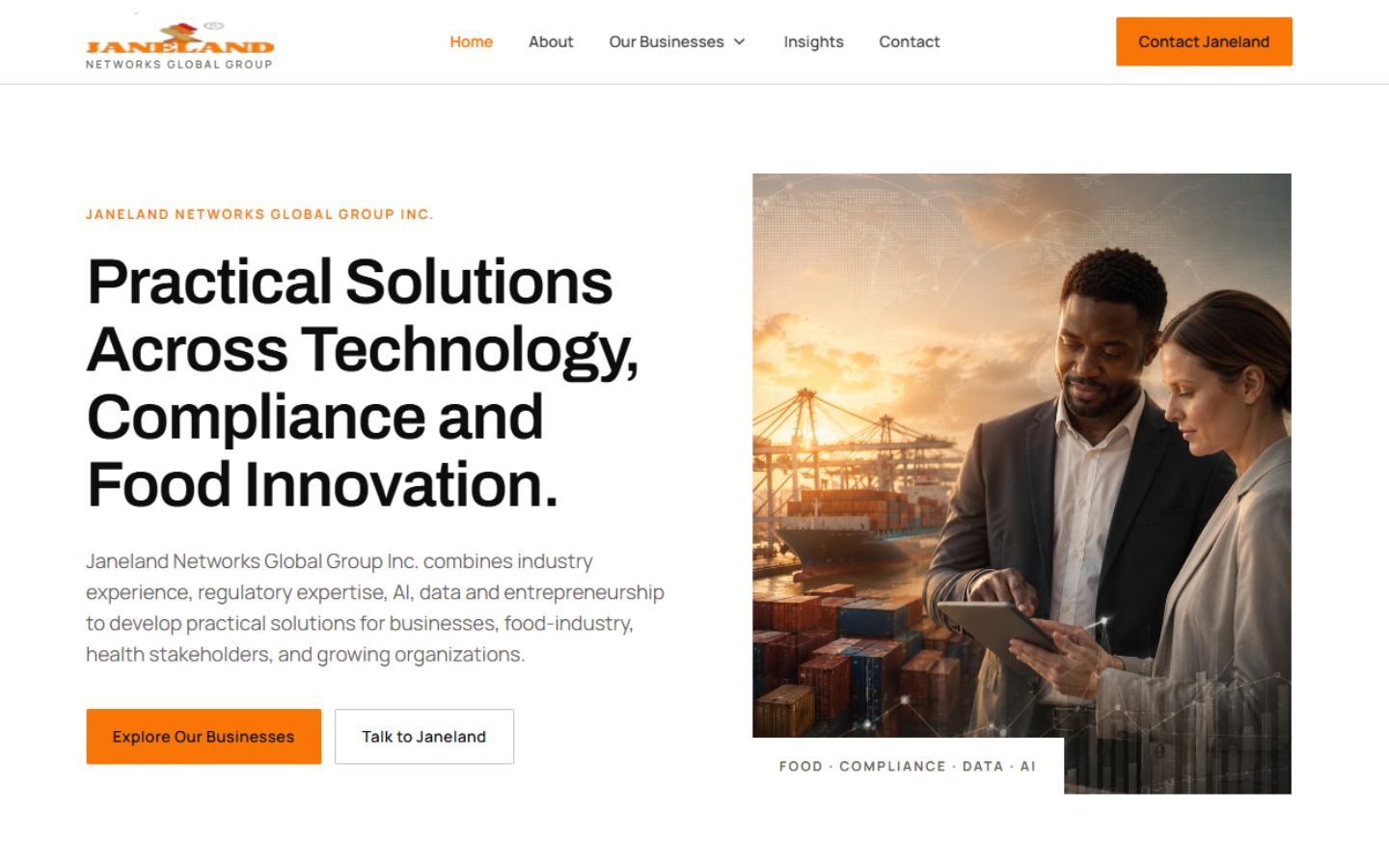
Janeland Networks responsive website redesign homepage
Client Project

Janeland Networks Website Redesign

Problem or objective
Janeland Networks needed a modern website structure that better communicated its work across AI solutions, regulatory compliance, food innovation and digital business services.
What Connie built
A responsive multi-page website prototype with clearer messaging, improved information hierarchy, updated business divisions and a more globally representative visual direction.
Tools used
Lovable, ChatGPT and AI-assisted image development
Connie's contribution
Led the website discovery and content-structuring process, defined the page hierarchy, developed the design brief, directed the visual experience and built and refined the prototype.
Final output
A responsive website prototype prepared for client review and eventual GitHub-based deployment.
What was learned or demonstrated
Demonstrated how to translate a complex, multidisciplinary business into a clearer digital experience while accounting for branding, hosting and deployment requirements.
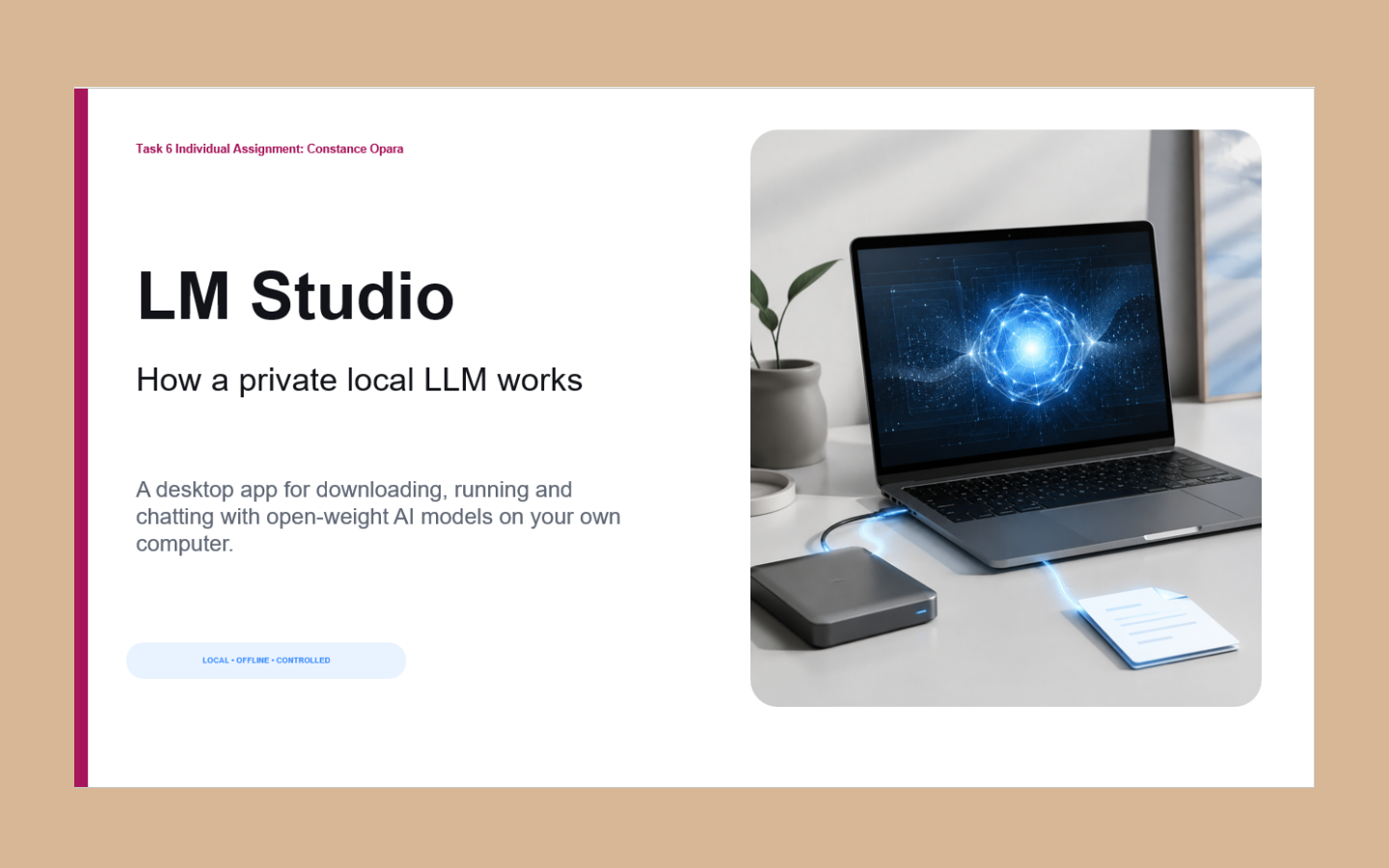
LM Studio private local LLM accelerator presentation cover
Accelerator Project

Private AI with LM Studio

Problem or objective
Explore how businesses and individuals can run a language model locally when privacy, offline access and greater control over data are important.
What Connie built
A practical educational presentation explaining how LM Studio works, how a local model is selected and run, and where private local AI can be useful.
Tools used
LM Studio, ChatGPT and presentation-design tools
Connie's contribution
Researched the workflow, organized the technical concepts into accessible language and created the presentation and supporting educational content.
Final output
A five-slide educational presentation explaining LM Studio, its setup, use cases and benefits.
What was learned or demonstrated
Demonstrated an understanding of private local AI, model selection, device limitations, offline use and the trade-offs between local and cloud-based language models.

Section 02

AI Content & Published Work

AI-assisted workflows for researching, planning, and repurposing ideas into repeatable, platform-ready content.

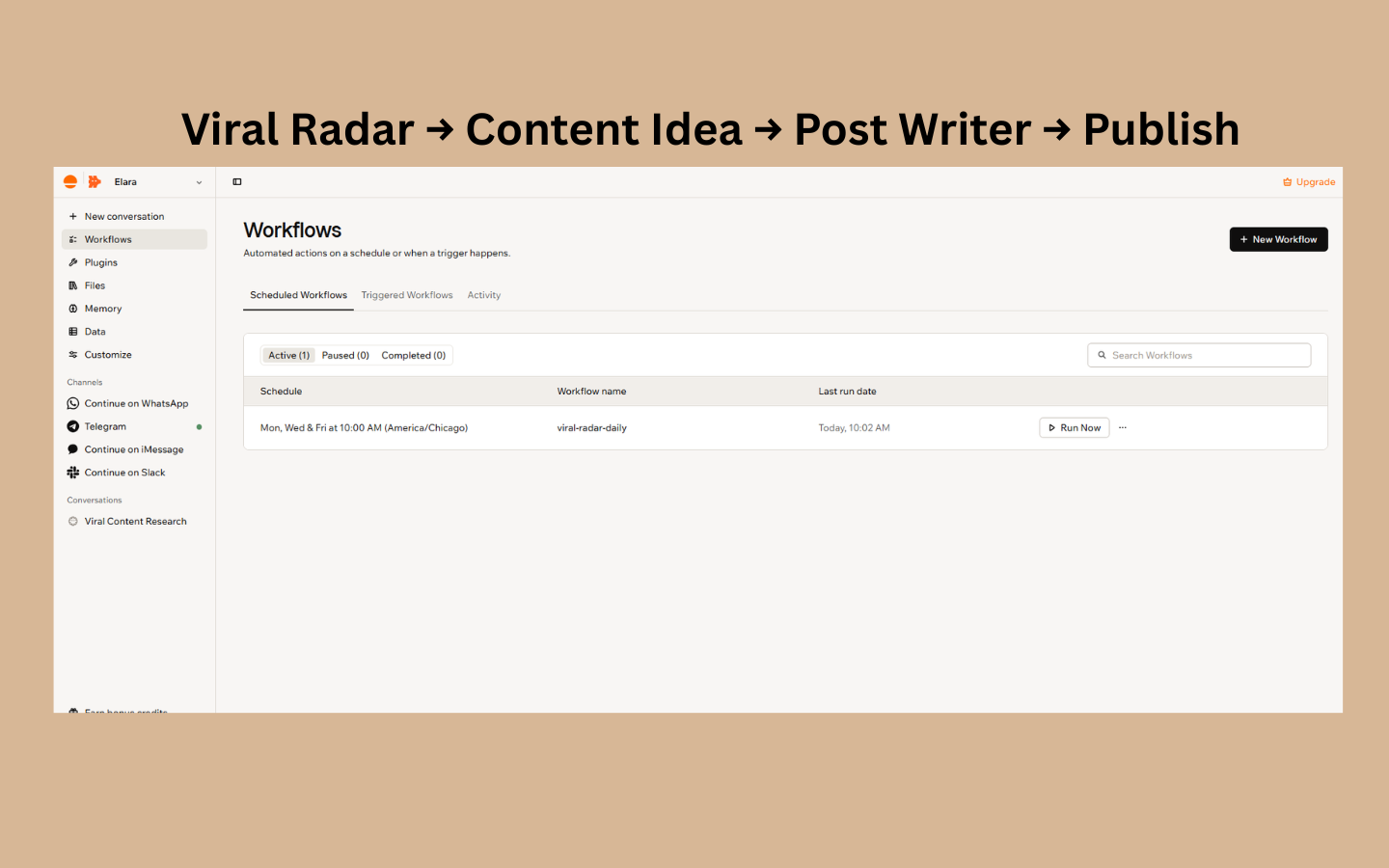
Elara workflows dashboard showing the scheduled viral-radar-daily content research workflow
Personal Build

Elara Viral Radar — AI Content Research System

Problem or objective
Reduce manual content research and create a repeatable way to surface relevant AI and business topics for ongoing content creation.
What Connie built
A scheduled AI-assisted content research system powered by Elara, a custom agent built in Base44 to research and filter relevant topics, then deliver selected content ideas through Telegram.
Tools used
Base44 · Telegram
Private Internal Tool
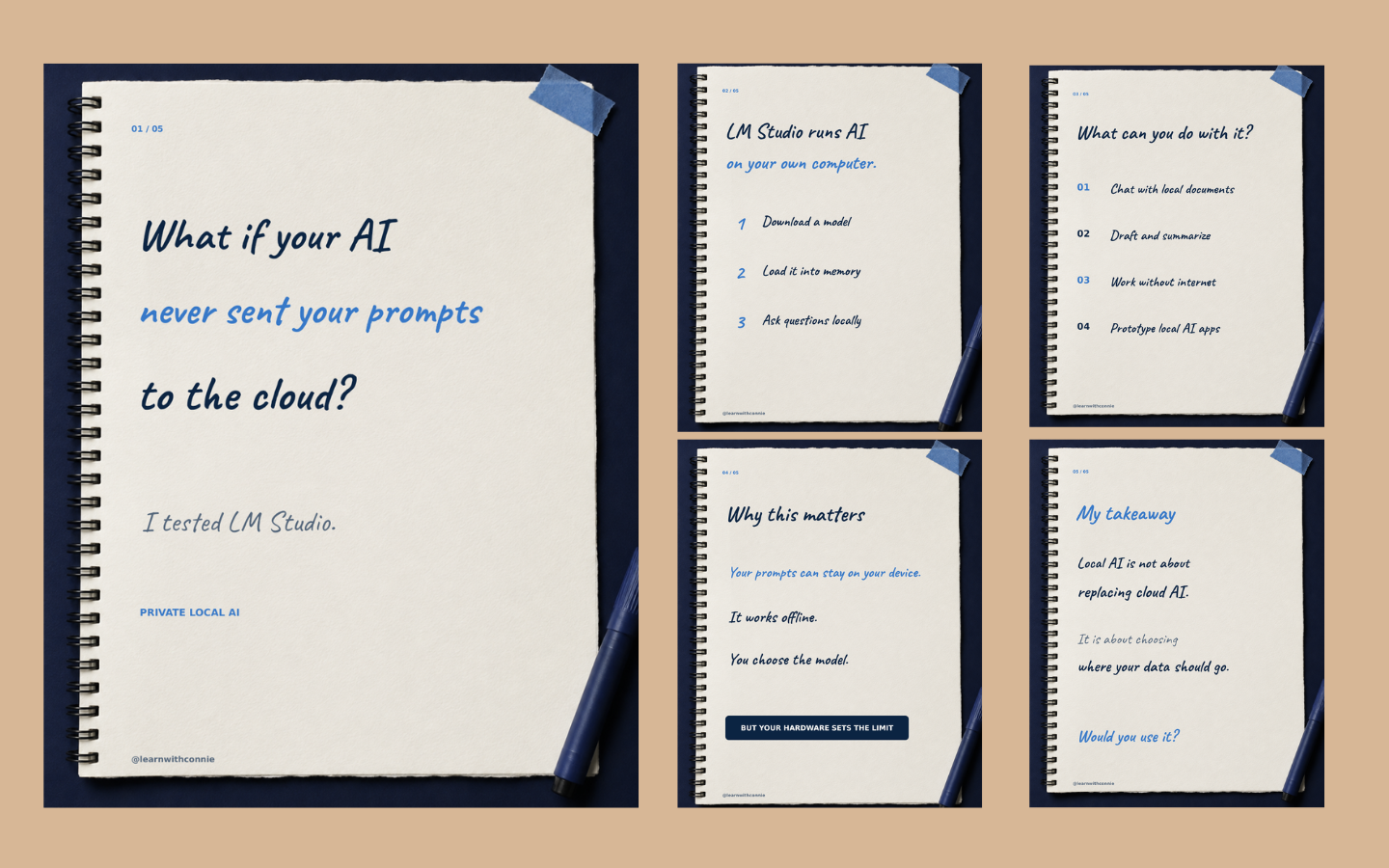
LM Studio content repurposing layout with a cover slide and four supporting carousel slides on notebook paper
Accelerator Project

LM Studio Content Repurposing

Problem or objective
Turn a technical AI learning topic into clear, engaging content that could be understood and reused across different formats.
What Connie built
Transformed a lesson on private local AI into a presentation, a 5-slide LinkedIn carousel, and a supporting conversational LinkedIn post.
Tools used
ChatGPT · Canva · LM Studio

Section 03

GenAI Images & Videos

A selection of AI-assisted creative work spanning UGC-style product content and short-form visual storytelling.

UGC Content · Product Creative · GenAI Video

Clear Feel UGC Campaign

AI-generated skincare UGC created to demonstrate realistic product storytelling, model creation, and social-first brand content.

Loading video

No audio

Fashion Content · AI Video · Prompt Design

Elevator Reveal Fashion Reel

AI-assisted fashion reel created from visual inspiration through prompt development and generative video production.

Section 04

Automations & AI Workflows

Connected workflows that reduce repeated manual steps, move information between tools, and support consistent follow-up.

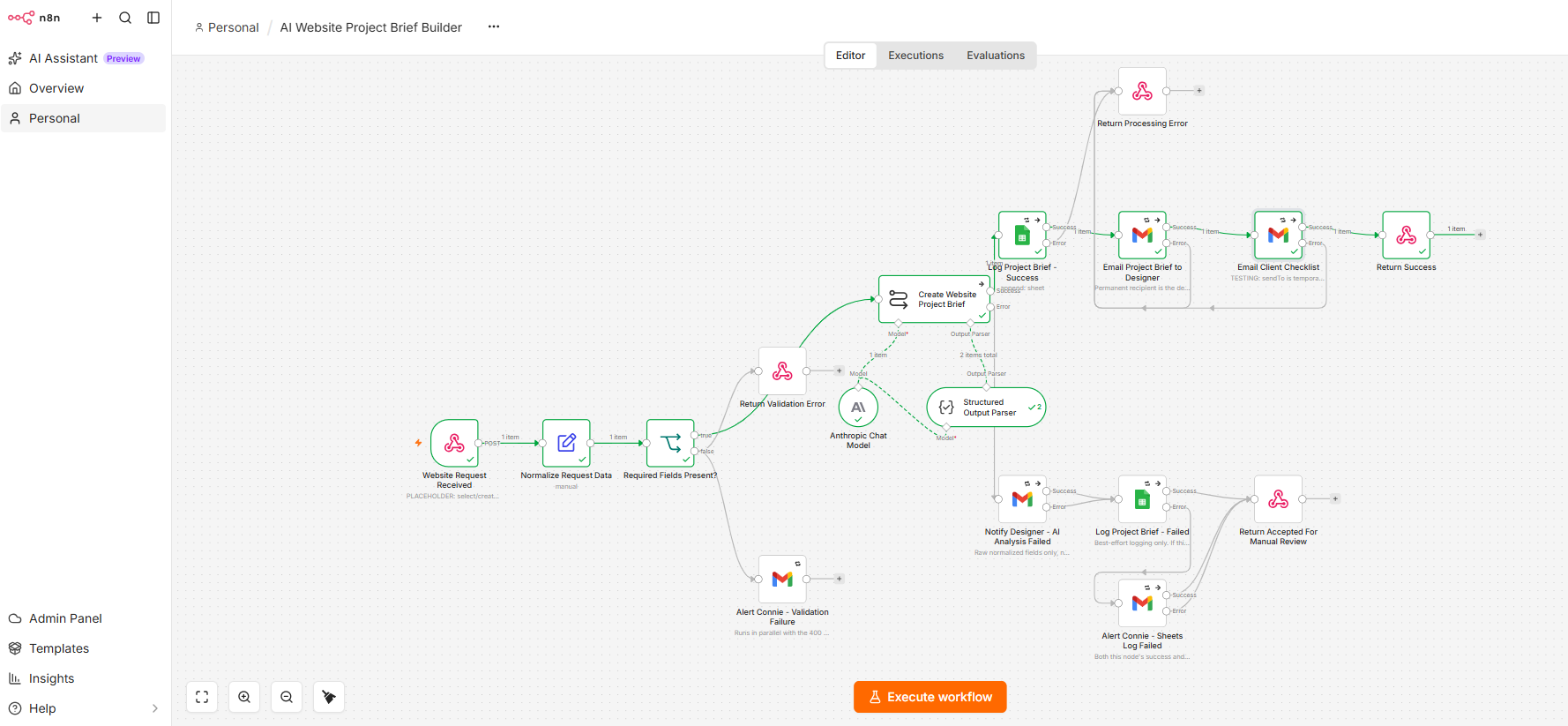
n8n canvas for the AI Website Project Brief Builder workflow showing the webhook, validation, Claude analysis, Google Sheets logging and Gmail notification nodes.
Personal Build

Website Brief Processing Automation

Problem or objective
Website requests often arrive as unstructured information that must be manually reviewed, organized and converted into an actionable brief before a project can begin.
What Connie built
An n8n workflow that receives a website request from the Website Launch Project, validates the submission, uses Anthropic's Claude to organize it into a structured project brief, logs the request in Google Sheets and sends tailored email notifications to both the designer and the prospective client.
Tools used
Base44, n8n, Anthropic Claude, Google Sheets and Gmail.
Connie's contribution
Designed the workflow logic, defined the required intake data, configured the authenticated webhook, connected and tested the workflow nodes, implemented validation and fallback paths, and corrected the client email-output flow.
Final output
A working end-to-end automation that transforms a submitted website request into an organized internal brief, a logged project record and a client preparation email.
What was learned or demonstrated
Demonstrated practical workflow orchestration, authenticated webhooks, input validation, conditional error handling, AI-assisted information processing and communication across multiple business tools.
Private internal workflow

Automation walkthrough

A short screen recording of the website brief automation running end to end.

Open video in a new tab

Automation summary

A plain-language summary of the trigger, the workflow and the result.

Trigger
A new website request is submitted through the Base44 Website Launch Project portal.
Workflow
The workflow validates the submission, sends it to Claude for structured analysis, records the request in Google Sheets, emails the designer an organized project brief and sends the prospective client a website-preparation checklist.
Result
The incoming request becomes an organized, actionable website brief without requiring the same information to be reviewed, copied and distributed manually.

Workflow screenshot gallery

Select a screenshot to view it at full size.

Workflow canvas in n8n
Structured brief logged in Google Sheets
Designer brief and client checklist emails

Section 05

Team Projects

Collaborative builds completed with a group, where contributions are documented per person rather than claimed as solo work.

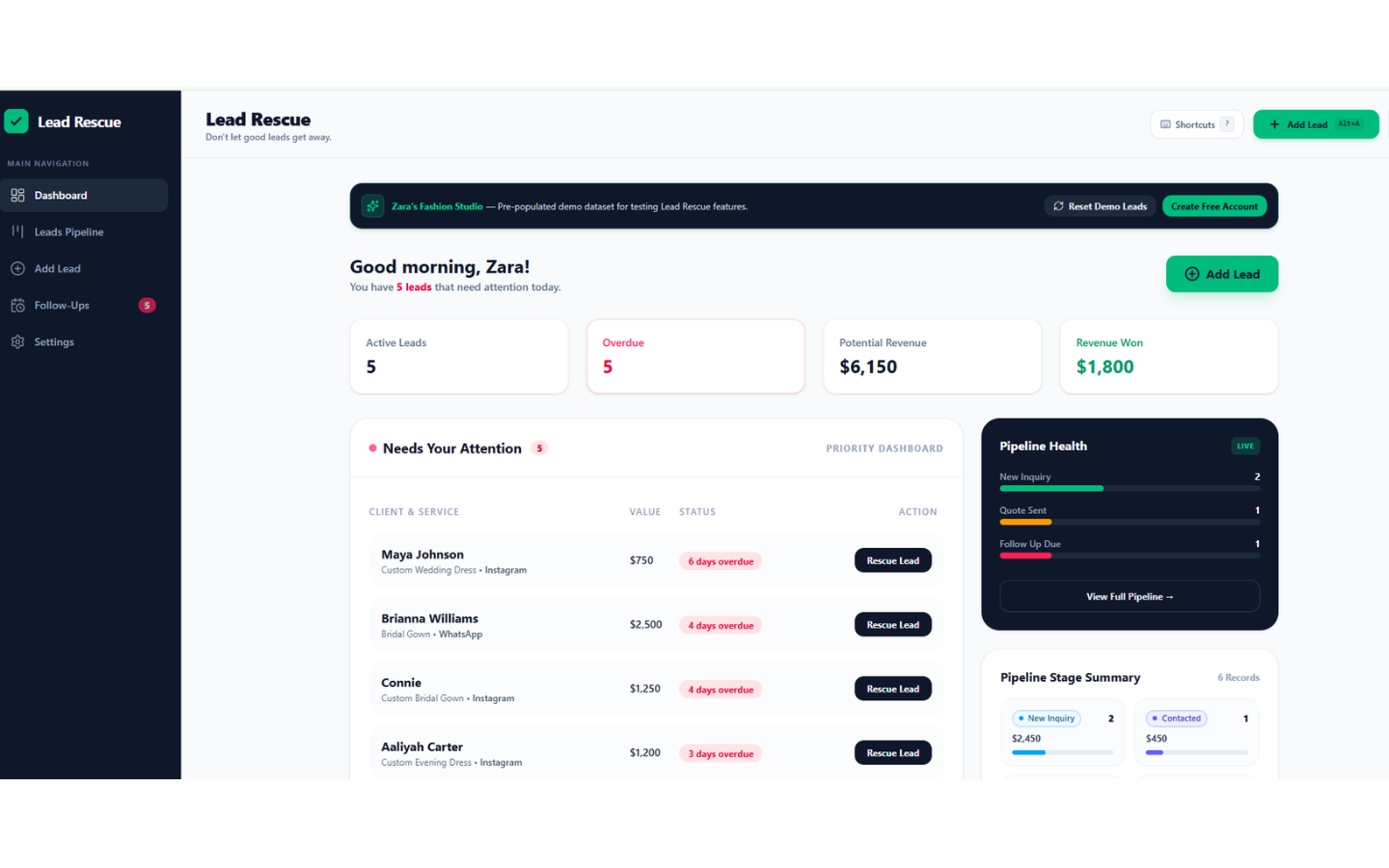
Lead Rescue lead-management dashboard with pipeline and follow-up tracking.
Team Project

Lead Rescue

Problem or Objective
Small businesses often receive inquiries through social media, forms and messaging platforms, but lose potential customers when lead information is scattered and follow-up is inconsistent.
What the Team Built
A lead-management web application designed to help small businesses capture, organize and follow up with inquiries before potential customers go cold. The application includes a lead dashboard, pipeline tracking, lead entry, follow-up reminders, priority indicators and pipeline-health visibility.
Tools Used
Google AI Studio, ChatGPT and collaborative product planning
Connie's Contribution
Developed the initial product concept and requirements, created the product requirements document using ChatGPT, and contributed strategic feedback during the interface-refinement and testing process.
Final Output
A working team-built web application prototype with a pre-populated demo environment for demonstrating the lead-management workflow.
What Was Learned or Demonstrated
Demonstrated collaborative AI-assisted product development and how a business problem can be translated into a structured lead-capture, tracking and follow-up experience.

Have a similar project in mind?

Let’s discuss the system, website or workflow your business needs—and whether I’m the right fit to help you build it.

Book a Discovery Call